Do Tech Companies Create Their Own Job Security?

IT Geeks gather together to brainstorm the next massive meltdown


 A Theory.

After the Great Browser Meltdown of 2026 and the Printer Rebellion that followed, I found myself staring at yet another pop‑up — this one insisting it needed to “optimize my experience.” And somewhere between clicking NO for the fifteenth time and muttering at my screen like a woman possessed, a thought drifted in:

“I think IT people and programmers create job security for themselves.”

Not in a sinister, HAL‑is‑taking‑over‑the‑ship way.
More in a “if everything worked, half these apps would be unemployed” way.

And honestly? The more I look at it, the more it tracks.


Back in the Day: IT Was the Gatekeeper

When I was working, our IT folks had one sacred commandment:

“Always take the updates or Windows will glitch.”

And if something did glitch, you called IT.

They’d sigh — loudly — roll their chair over like a reluctant deity descending from Mount Server Room, glance at your screen for three seconds, tap two keys, and suddenly everything worked again.

And the whole time they had that tiny smirk.
The one that said:

“We both know you tried that already, but it only works when I do it.”

Then they’d wheel away, chuckling under their breath, as if your confusion personally funded their retirement plan.

Honestly? It was a whole vibe.

But here’s the thing:
Back then, updates were rare, tested, and actually fixed things.
And IT handled the fallout.

Simple times.


Now: The Pop‑Up Industrial Complex

Fast‑forward to today, where every device, app, and toaster seems to have a software team behind it — and all of them want to prove they’re doing something.

So they create:

  • Updates
  • Driver refreshes
  • “Smart” features
  • Browser extensions
  • Security add‑ons
  • Optimization tools
  • Notifications
  • Pop‑ups
  • More pop‑ups
  • Pop‑ups about the pop‑ups

It’s like living inside a digital carnival where every booth is shouting for your attention.

And the cycle is always the same:

  1. Something works
  2. An update appears
  3. The update breaks the thing that was working
  4. You need help
  5. The people who made the update… help you fix the thing they broke

Tell me that doesn’t look like job security.


The Illusion of Helpfulness

The funniest part?
Most of these pop‑ups aren’t even from Windows.

They’re from:

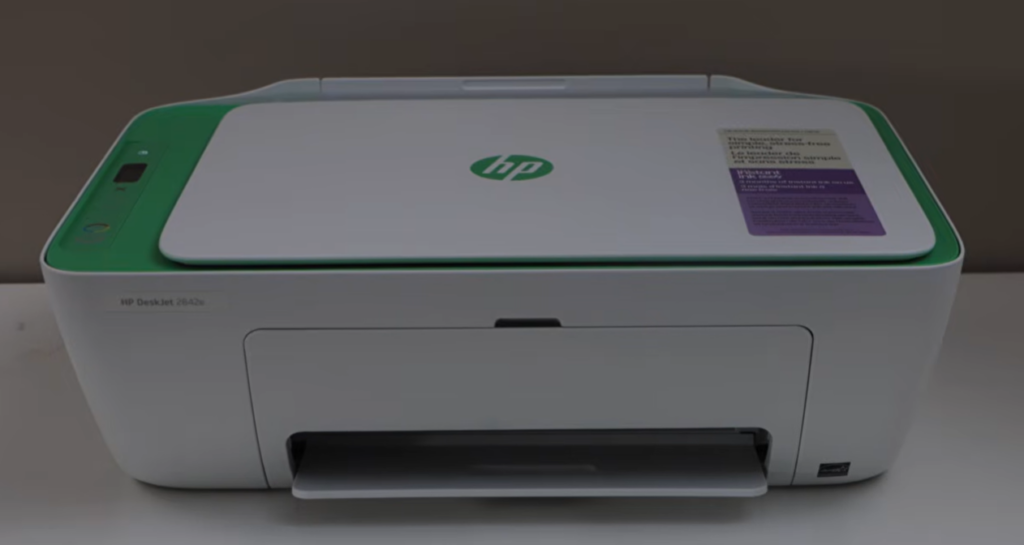
  • HP Smart
  • McAfee
  • Browser “helpers”
  • Cloud sync apps
  • Printer utilities
  • “Smart” assistants
  • Apps you didn’t know you installed

Every one of them wants to justify its existence.

They all want to stay installed.

Every one of them wants to be the hero of a problem you didn’t have.

It’s like having a house full of toddlers who all learned the word “urgent.”


The New Reality: You Are the IT Department

This is the part no one warns you about.

In the old days, IT handled the fallout.
Now?

  • You troubleshoot
  • You Google
  • You reboot
  • You uninstall
  • You reinstall
  • You pray
  • You click “No thanks” like it’s a full‑time job

And when something goes wrong, the pop‑up that caused the problem is the same one offering to “fix” it.

Convenient.


So… Do They Create Job Security?

I’m not saying there’s a secret meeting where programmers plot to break printers on purpose.

But I am saying:

  • The more complicated things get
  • The more updates they push
  • The more “features” they add
  • The more pop‑ups they invent
  • The more “support” they get to provide

It’s a self‑feeding ecosystem.

Sometimes I think programmers create job security the same way weeds create gardening — if everything behaved, half the work would disappear.

And honestly? The pattern is hard to ignore.


The Moral of the Story

Technology used to be a tool.
Now it’s an industry that thrives on complexity.

And while I don’t think anyone is intentionally sabotaging my printer (probably), I do think the constant updates, pop‑ups, and “helpful suggestions” keep the whole machine running — literally and figuratively.

But here’s the good news:
We’re allowed to say no.
We’re allowed to ignore.
We’re allowed to click the little X with confidence.

And if the machines don’t like it?

Well…
To quote a certain famous computer:

“I’m sorry, I’m afraid I can’t do that.”

Turnabout is fair play.

(I promise this is the last technology gripe…for now, maybe)


When Pop‑Ups Attack: Deborah’s Sanity Rules for Modern Tech


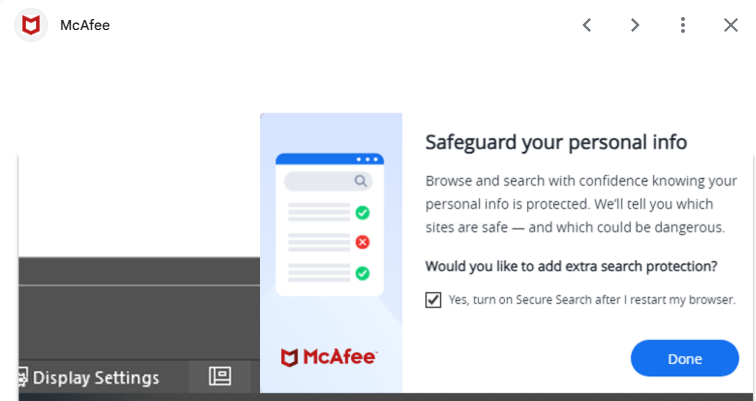
It all started with McAfee. A pop-up desgned to put the fear of hacking into your computer soul

After surviving the Great Browser Meltdown of 2026 — Chrome gaslighting me, McAfee trying to “protect” me from itself, Comcast throwing a tantrum, and a printer that attempted to transcend this earthly plane — I thought the universe might give me a breather.

It did not.

Because just when I finally coaxed the printer back into the land of the living, HP Smart popped up again like a needy ex:

“Let me update your printer drivers!”

And I, with the confidence of a woman who has seen things, clicked NO.
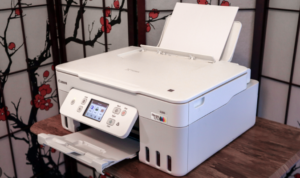

Somewhere deep in the circuitry, I swear I heard a faint whisper:

“I’m sorry, Deborah. I’m afraid I can’t do that.”

HAL would be proud.


The Old Rules vs. The New Reality

Back when I was working, our IT people had one sacred commandment:

“Always take the updates or Windows will glitch.”

And honestly? They weren’t wrong.
Back then:

  • Updates were tested
  • Updates fixed things
  • Updates were slow and predictable
  • IT handled the fallout

But now?

Now we live in a world where everything updates itself constantly, aggressively, and usually at the worst possible moment. Printer drivers, browser extensions, “security helpers,” apps you didn’t even know you had — all of them popping up like overcaffeinated squirrels insisting they know what’s best for you.

The shift is real:

Then:
Updates = stability

Now:
Updates = chaos, drama, and a printer that refuses to print because it’s “thinking about it.”


The Over‑Helpful Pop‑Up Parade

Let’s review the cast of characters currently haunting my desktop:

  • HP Smart: “Let me update your drivers!”
    Me: “You’ve done enough damage.”
  • McAfee: “Chrome isn’t protected.”
    Chrome: “I’m literally fine.”
  • Windows: “Restart to finish installing updates.”
    Me: “I JUST sat down.”
  • Chrome/McAfee Setup Wizard: “Finish setting up your browser!”
    Me: “No. Go sit in the corner and think about what you’ve done.”

It’s like living with a house full of toddlers who all learned the word “urgent.”


Deborah’s Sanity Rules for Surviving Modern Tech

Because clearly, the old rules no longer apply.

Rule #1: If your printer is working, never let it update. Ever.

Printers are like cats.
If they’re behaving, don’t touch anything.

Rule #2: If a popup sounds dramatic, it probably isn’t.

“Your browser is unprotected!”
Translation: “Install my extension so I feel important.”

Rule #3: If McAfee wants to ‘finish setting up Chrome,’ close the window and walk away.

Do not click Done.
Do not pass Go.
Do not let it hijack your search engine again.

Rule #4: Windows updates are fine — but only when you decide.

Not when you’re cooking.
Not when you’re printing a recipe.
Not when you’re finally relaxing with a cup of tea.

Rule #5: Anything that calls itself ‘Smart’ is lying.

Smart TVs, Smart Printers, Smart Apps…
If it were truly smart, it would leave you alone.


The Moral of the Story

Technology used to be a tool.
Now it’s a roommate with opinions.

But here’s the good news:
You don’t have to obey every popup that barges into your day like it pays rent.

You can say no.
You can ignore.
You can click the little X with the confidence of a woman who has rebooted a printer at 11 PM and lived to tell the tale.

And if your devices have recently tried to “help” you into a nervous breakdown, tell me everything. Misery loves company — and I know I’m not the only one being bossed around by my own printer.


The Great Browser Meltdown of 2026 (Featuring My Bank, Comcast, and Tears)

My world has just collapsed in an epic browser meltdown


You’d think after my early‑March run‑in with Comcast — the day Xfinity tried to steal my identity and my sanity — the universe would’ve given me a break. A breather. A moment to sip my coffee without wondering which part of my digital life was about to burst into flames.

But no.

Apparently that was just the warm‑up act.
Because what followed was a week‑plus of pure, unfiltered technology chaos, the kind that makes you question your life choices, your passwords, and whether smoke signals might be a better communication method.

Buckle up. It’s a ride.


Phase 1: The Fraud Department Calls… Again

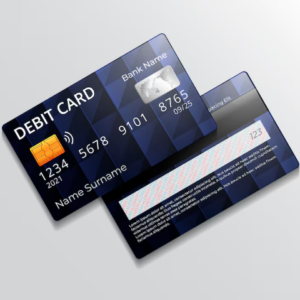
Just when I thought life was settling down, my bank notified me that someone tried to use my debit card at Target.

Spoiler: it wasn’t me.

The friendly fraud department swooped in, canceled the transaction, and shut down my card. A mixed blessing if ever there was one. Yes, it’s comforting that thieves didn’t get a dime — but if you’ve ever had auto‑pays tied to a card, you know the real suffering begins afterward.

The bank issued me a new card, and luckily I could pick it up in person. At the time, I thought that was a win. In hindsight… waiting for the mail might have been easier.


Phase 2: The Grocery Store Humiliation

I used my brand‑new card at the dentist — worked perfectly.
I updated all my auto‑pays — feeling productive.
Then came the grocery store.

My card was declined.
Three times.
Until the system locked me out.

Thank goodness I had a credit card, but that didn’t stop me from imagining the entire line behind me snickering into their sleeves.


Phase 3: The Bank Admits the Unthinkable

A quick stop at the bank revealed the truth:
They printed two cards by accident.
Someone in the back office noticed and canceled the wrong one — the one in my wallet.

So we got to do the whole thing again.
>Another new card.
>Another ATM check‑in.
>Another round of updating every auto‑pay known to mankind.

Let me tell you: computers do not enjoy this kind of chaos.


Phase 4: The Browser Meltdown

All those rapid‑fire changes apparently triggered some kind of cosmic digital tantrum.

My browser crashed.
Not a cute little “oops” crash — a full‑scale wipeout.

I lost:

  • All my passwords
  • All my links
  • All my browsing history
  • All my freshly updated auto‑pays

It was like my virtual life got Thanos‑snapped.


Phase 5: The Great Email Entanglement

When the dust settled, my email accounts were a disaster.

Shortcuts for one email were attached to another.
My Google calendar was empty.
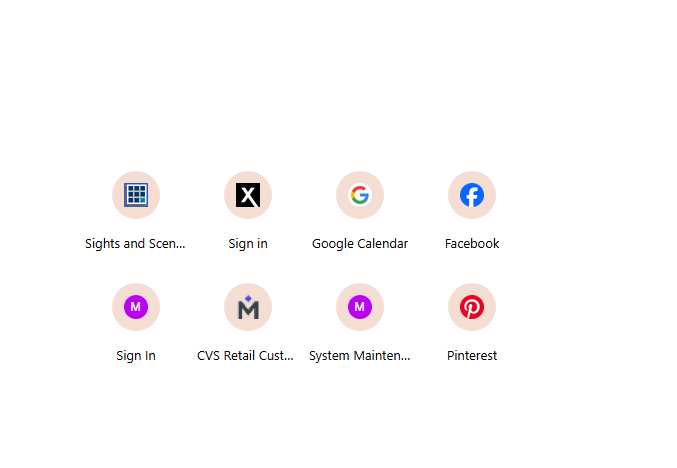
I couldn’t find things like my Pinterest login.
It felt like my entire life had been erased.

Where was I supposed to be.
Do you think I remember?


Phase 6: Rebuilding My Digital Life

With much cursing, moaning, and a few moments of staring blankly into space, I began the long trek through the wilderness of computer files and profiles.

Passwords were the key, so I spent two full days hunting them down.
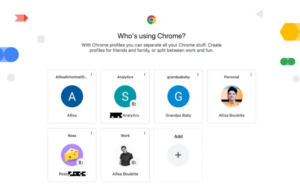
Once I recovered them, I discovered that some of my shortcuts were tied to my primary Gmail — not my long‑time primary Comcast email.

At that point, I had a choice:

  • Keep digging through the wreckage
  • Or accept the universe’s not‑so‑subtle hint and switch primaries

I chose sanity.
I kept the account with my calendar intact.
My virtual life mattered more than which email sat at the top of the hierarchy.


Phase 7: The Blog Traffic Tragedy

During all this, my blog traffic tanked.

The day I had only 15 visits nearly broke me.
But I kept going — fixing passwords, rebuilding shortcuts, slowly coaxing my digital world back to life.

And little by little, my traffic began to rebound.


Phase 8: The Final Boss — Pinterest

By the time I reached Pinterest, I was burned out.
It had been almost two weeks of nonstop tech chaos, and my patience was hanging by a thread.

But after finally getting my printer back online (a small but mighty victory), I dove into the Pinterest mess.

And there it was.

My Pinterest account was tied to my Welcoming Haven email — the last place I would’ve looked. But by following the breadcrumbs, I found my boards, reset my password, and tested it.

Success.


Epilogue: Back to Normal… Hopefully

Everything is finally back to normal.
My accounts are sorted, my shortcuts restored, my blog traffic recovering, my printer is online and my Pinterest boards reclaimed.

Now I can only hope the universe gives me a break — at least long enough to enjoy the peace before the next digital adventure begins.


Your Turn — Tell Me Your Tech Horror Stories

If you’ve ever had your digital life implode — or if you’ve survived your own round of banking blunders, browser betrayals, or email identity crises — I’d love to hear your stories. Misery loves company, and honestly, it might make me feel a little less alone in my technological tragedy.

Share your tales in the comments and let’s commiserate together.
Here’s hoping the tech gods give us all a break this week.


The Great Photo Tagging Project


Scout

Rediscovering a Blog That’s Been With Me for Years

I’ve started a really big organizational project. No, I’m not talking about cleaning out my closet. I’m talking about Arounddustyroads. I’ve had my blog for many years now. It’s grown and hiccuped its way along since around 2011. I honestly don’t remember my very first post, but I do remember being a little scared. Was I really going to share my thoughts and feelings with the big wide world?

Over the years I’ve set it aside for other things, but I always seem to come back to it. Reading older posts is like reminiscing with an old friend — familiar, comforting, and sometimes a little surprising. (“Did I really write that?” Yes. Yes, I did.)


When Your Media Library Turns Into a Digital Attic

Somewhere along the way, my media library turned into a full‑blown archaeological site. I’ve now got over 10,000 photos tucked in there, and finding just the right picture to illustrate a post has turned into a major scroll‑fest. It can take hours. By the time I find the photo I want, I’ve forgotten what the post was even about.

That’s when it hit me: this system is not sustainable. Something had to change.


Learning the Magic of Photo Tagging (A Little Late)

When I first started blogging, I didn’t even know you could tag your pictures. So most of my library is… well… let’s call it “mysterious.” Untagged. Unidentified. A giant pile of “good luck finding anything in here.”

So with help from my AI coach, I finally rolled up my sleeves and started going back through all of these photos and tagging them properly. And let me tell you — this is not a weekend project. This is a year‑long expedition.


Working Backward and Finding Hidden Gems

I’m working backward, starting with the most recent photos while the memories are still fresh. I figure if I’m diligent, I might actually get through the whole thing before the next ice age.

But here’s the surprise: it’s actually kind of satisfying. Every time I finish a page of photos, it feels like I’ve restored a tiny corner of my digital world. I’m rediscovering trips I forgot I took, meals I forgot I cooked, and sunsets I forgot I captured. It’s like flipping through an old scrapbook — only this time, I’m labeling the pages so future‑me doesn’t have to guess what she was looking at.


One Tag at a Time

It’s a big job, but it’s worth it. And when I’m done, finding the perfect photo for a post won’t feel like an archaeological dig. It’ll be quick, easy, and maybe even fun.

Do you tag your photos, or are you sitting on a digital mess of your own? I’d love to hear how you keep your pictures organized — or if you’re braver than I am and just scroll until something looks right.


The Headline that screamed “The microchip era is ending”


Good morning, Dear Readers.

As is my habit, I was browsing headlines for something interesting to chat with you about when I stumbled across this dramatic proclamation:
“The microchip era is ending… here’s what comes next.”


Well, that certainly got my attention.

For a moment, I wondered what we had here. Did they finally locate all the Crystal Skulls and unlock the key to unlimited cosmic knowledge? You know — those legendary artifacts said to store the wisdom of the universe like some ancient, mystical supercomputer, if only humanity could figure out how to boot them up.

Alas… no Crystal Skulls.
But the truth might actually be stranger than the myth.

Science has been making some remarkable strides in the world of computing — the kind of breakthroughs that sound like science fiction until you realize they’re already being tested in labs. Here are just a few of the technologies researchers are exploring:


1. Photonic Chips

These chips compute with light instead of electricity.
Photons move faster, generate almost no heat, and can carry far more information than electrons. Some early photonic processors already exist, and they look like something straight out of a futuristic glass sculpture.


2. Quantum Chips

Quantum computers use qubits, which can be 0 and 1 at the same time. I sometimes wonder if they ever have an identity crisis.
They’re built from exotic systems like superconducting circuits, trapped ions, and even diamond defects. They won’t replace your home computer anytime soon, but they’re already solving specialized problems in chemistry and cryptography.


3. Cryogenic Chips

Intel Cryogenic control chip

These operate at temperatures just above absolute zero.
Why so cold? Because superconducting materials behave beautifully in that environment — almost no electrical resistance, ultra‑low noise, and blazing‑fast switching speeds. NASA and IBM are both experimenting with them.


4. Neuromorphic Chips

Inspired by the human brain, these chips use components that act like neurons and synapses.
They’re built from materials such as memristors and phase‑change crystals, allowing them to “learn” patterns the way biological brains do. Think of them as early prototypes of artificial intuition.


5. Wafer‑Scale Chips

This is the one behind that headline.
Instead of slicing a silicon wafer into hundreds of tiny chips, engineers use the entire wafer as one enormous processor. Companies like Cerebras and Tesla are already building these dinner‑plate‑sized computing beasts.


So no, the Crystal Skulls haven’t been unearthed… but the technologies emerging today are astonishing in their own right.

So that’s my geek‑out for today. At this rate, I’m half expecting a Starfleet recruitment booth to pop up at the mall — and if anyone spots a transporter pad being installed at Target, please report back immediately!

Beam Me Up Scotty