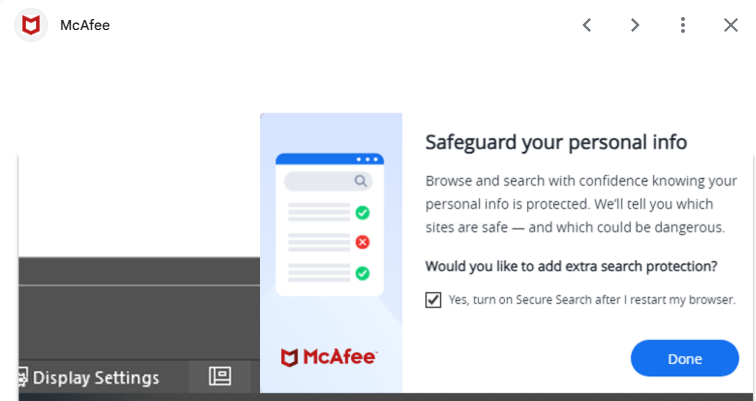
After surviving the Great Browser Meltdown of 2026 — Chrome gaslighting me, McAfee trying to “protect” me from itself, Comcast throwing a tantrum, and a printer that attempted to transcend this earthly plane — I thought the universe might give me a breather.
It did not.
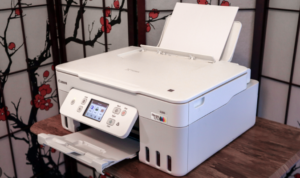
Because just when I finally coaxed the printer back into the land of the living, HP Smart popped up again like a needy ex:
“Let me update your printer drivers!”
 And I, with the confidence of a woman who has seen things, clicked NO.
Somewhere deep in the circuitry, I swear I heard a faint whisper:
“I’m sorry, Deborah. I’m afraid I can’t do that.”
HAL would be proud.
The Old Rules vs. The New Reality
Back when I was working, our IT people had one sacred commandment:
“Always take the updates or Windows will glitch.”
And honestly? They weren’t wrong.
Back then:
- Updates were tested
- Updates fixed things
- Updates were slow and predictable
- IT handled the fallout
But now?
Now we live in a world where everything updates itself constantly, aggressively, and usually at the worst possible moment. Printer drivers, browser extensions, “security helpers,” apps you didn’t even know you had — all of them popping up like overcaffeinated squirrels insisting they know what’s best for you.
The shift is real:
Then:
Updates = stability
Now:
Updates = chaos, drama, and a printer that refuses to print because it’s “thinking about it.”
The Over‑Helpful Pop‑Up Parade
Let’s review the cast of characters currently haunting my desktop:
- HP Smart: “Let me update your drivers!”
Me: “You’ve done enough damage.” - McAfee: “Chrome isn’t protected.”
Chrome: “I’m literally fine.” - Windows: “Restart to finish installing updates.”
Me: “I JUST sat down.” - Chrome/McAfee Setup Wizard: “Finish setting up your browser!”
Me: “No. Go sit in the corner and think about what you’ve done.”
It’s like living with a house full of toddlers who all learned the word “urgent.”
Deborah’s Sanity Rules for Surviving Modern Tech
Because clearly, the old rules no longer apply.
Rule #1: If your printer is working, never let it update. Ever.
Printers are like cats.
If they’re behaving, don’t touch anything.
Rule #2: If a popup sounds dramatic, it probably isn’t.
“Your browser is unprotected!”
Translation: “Install my extension so I feel important.”
Rule #3: If McAfee wants to ‘finish setting up Chrome,’ close the window and walk away.
Do not click Done.
Do not pass Go.
Do not let it hijack your search engine again.
Rule #4: Windows updates are fine — but only when you decide.
Not when you’re cooking.
Not when you’re printing a recipe.
Not when you’re finally relaxing with a cup of tea.
Rule #5: Anything that calls itself ‘Smart’ is lying.
Smart TVs, Smart Printers, Smart Apps…
If it were truly smart, it would leave you alone.
The Moral of the Story
Technology used to be a tool.
Now it’s a roommate with opinions.
But here’s the good news:
You don’t have to obey every popup that barges into your day like it pays rent.
You can say no.
You can ignore.
You can click the little X with the confidence of a woman who has rebooted a printer at 11 PM and lived to tell the tale.

And if your devices have recently tried to “help” you into a nervous breakdown, tell me everything. Misery loves company — and I know I’m not the only one being bossed around by my own printer.
